Introduction
PCB layout is where your schematic becomes reality. A well-laid-out board works reliably, passes EMC testing on the first try, and costs less to manufacture. A poorly-laid-out board creates endless debugging sessions, mysterious noise issues, and expensive respins.
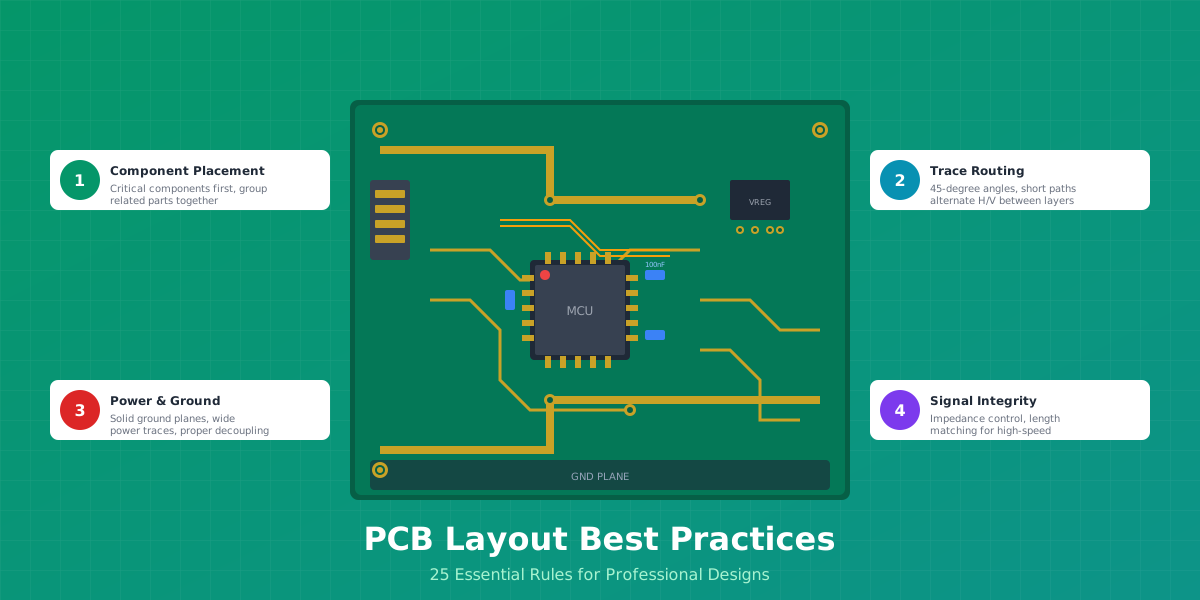
This guide distills years of PCB design experience into 25 essential rules that separate professional designs from amateur ones. Whether you are designing your first PCB or refining your tenth, these rules will help you create boards that work the first time.
We have organized these rules into six categories: component placement, trace routing, power distribution, signal integrity, thermal management, and design for manufacturing (DFM). Each rule includes practical guidance, specific values where applicable, and real-world examples.
Part 1: Component Placement Rules
Component placement is the foundation of good PCB layout. Get it right, and routing becomes straightforward. Get it wrong, and you will fight the layout every step of the way. Studies show that 80% of routing success is determined by component placement.

Rule 1: Place Critical Components First
Start with components that have fixed positions or strict requirements:
- Connectors and mounting holes - These define your board edges and mechanical constraints
- High-pin-count ICs - Processors, FPGAs, and microcontrollers form the routing backbone
- Power components - Regulators, inductors, and bulk capacitors need specific thermal/EMI zones
- RF/Antenna components - Keep-out zones and impedance requirements dictate placement
Place high pin-count processors centrally on the board - this minimizes average trace length and reduces via count. A centrally-placed MCU can reduce total routing length by 20-30% compared to edge placement.
Rule 2: Group Related Components Together
Components that work together should be placed together. This principle applies to:
- Functional blocks - Keep all power supply components in one area
- Signal chains - Input to output should flow logically across the board
- Decoupling capacitors - Place within 3mm of their associated IC power pins
Practical Example
For an STM32 microcontroller, place all decoupling capacitors on the same side as the chip, with the smallest value (100nF) closest to the power pins. The rule of thumb for STM32: n x 100nF + 1 x 4.7uF where n = number of VDD pins.
Rule 3: Separate Analog and Digital Sections
Digital switching noise can corrupt sensitive analog signals. Implement physical separation:
- Place analog components on one side of the board, digital on the other
- Maintain at least 20 mils (0.5mm) separation between analog and digital traces
- Route analog signals away from clock lines and switching power supplies
- Use guard traces or ground pours between sensitive sections
If crossing is unavoidable, cross analog and digital traces at 90 degree angles to minimize coupling.
Rule 4: Orient Components Consistently
Consistent orientation speeds up assembly and reduces errors:
- Polarized components - All diodes point the same direction, all electrolytic capacitors have + facing the same way
- ICs - Pin 1 orientation consistent (all north, or all west)
- Resistors/Capacitors - Same rotation for similar values
This consistency helps pick-and-place machines run efficiently and makes visual inspection during assembly much easier.
Rule 5: Place SMD Components on One Side
For cost-effective assembly, place all SMD components on the top side of the board. This reduces assembly from two reflow passes to one, typically saving 30-40% on assembly costs.
If you must use both sides:
- Place larger, heavier components on the bottom (they stay in place during top-side reflow)
- Keep through-hole components on the top for wave soldering
- Account for keep-out zones where bottom components affect top-side placement
Part 2: Trace Routing Rules
With components properly placed, routing becomes a matter of connecting the dots efficiently. These rules ensure your traces carry signals cleanly and reliably.

Rule 6: Keep Traces Short and Direct
Every millimeter of trace length adds inductance, resistance, and potential for noise pickup. Prioritize short traces for:
- High-speed signals - USB, SPI clocks, and data lines under 15cm (6 inches)
- Analog signals - Especially high-impedance nodes susceptible to noise
- Power traces - Minimize voltage drop to sensitive ICs
If a trace must be long, consider whether a via transition to an inner layer with a better ground reference makes sense.
Rule 7: Use 45-Degree Angles (Never 90 Degrees)
Sharp 90-degree corners cause problems:
- Act as antennas, radiating EMI
- Create impedance discontinuities in high-speed signals
- Can trap etchant during manufacturing, causing reliability issues
Always use two 45-degree bends instead of one 90-degree corner. For high-speed signals, curved traces are even better as they provide the smoothest impedance transition.
EasyEDA Tip
In EasyEDA, press "L" while routing to toggle between 45-degree and 90-degree mode. The track mode button in the toolbar also lets you select arc routing for smooth curves.
Rule 8: Alternate Horizontal and Vertical Routing Between Layers
This is the "orthogonal routing rule" - one of the most important principles for multi-layer boards:
- Route horizontal traces on one layer, vertical on the adjacent layer
- This eliminates inductive crosstalk between layers
- Makes routing more predictable and organized
For a 4-layer board (Signal-GND-Power-Signal), route horizontally on Layer 1 and vertically on Layer 4 (or vice versa).
Rule 9: Size Traces for Current Capacity
Trace width must match current requirements. Using IPC-2152 standards:
| Current | External Trace (1oz) | Internal Trace (1oz) | Temperature Rise |
|---|---|---|---|
| 0.5A | 10 mil (0.25mm) | 20 mil (0.5mm) | 10 degrees C |
| 1A | 20 mil (0.5mm) | 50 mil (1.25mm) | 10 degrees C |
| 3A | 50 mil (1.25mm) | 150 mil (3.8mm) | 20 degrees C |
| 5A | 100 mil (2.5mm) | 300 mil (7.6mm) | 20 degrees C |
When in doubt, use wider traces for power. A 40 mil (1mm) trace for power and ground is a safe default for most designs.
Rule 10: Maintain Consistent Trace Widths Within a Net
Changing trace width mid-route causes impedance discontinuities. This matters most for:
- High-speed signals - Width changes cause reflections
- RF traces - Even small variations affect impedance matching
If you must change width (like necking down to reach a fine-pitch IC), make the transition gradual with a taper, not an abrupt step.
Part 3: Power and Ground Rules
Poor power distribution is the most common cause of EMC failures. A solid power and ground strategy prevents most noise issues before they start.
Rule 11: Use Solid Ground Planes
A continuous ground plane is your best friend in PCB design:
- Provides low-impedance return path for all signals
- Acts as a shield between signal layers
- Improves thermal distribution
- Simplifies decoupling capacitor routing
Critical Rule
Never route signals over gaps in the ground plane. A gap in the return path forces current to find an alternative route, creating a large loop antenna. This is the number one cause of EMI failures.
For 4-layer boards, the recommended stack-up is:
- Layer 1: Signals (horizontal routing)
- Layer 2: Ground plane (continuous)
- Layer 3: Power plane
- Layer 4: Signals (vertical routing)
Rule 12: Place Decoupling Capacitors Properly
Decoupling capacitors are only effective if placed correctly:
- Location: Within 3mm of IC power pins (closer is better)
- Connection: Power should flow TO the capacitor BEFORE the IC pin
- Via placement: Vias immediately adjacent to capacitor pads minimize loop inductance
Use a tiered capacitor approach for digital ICs:
- 100nF ceramic - One per power pin, placed closest
- 10uF ceramic - One per IC, nearby
- 100uF bulk - One per board section, for transient current

Rule 13: Never Route Signals Over Split Planes
When a signal crosses a gap in the reference plane:
- Return current must travel around the gap, creating a large loop
- The loop acts as an antenna, radiating EMI
- Signal integrity degrades due to increased inductance
If you must split planes (for separate analog/digital grounds), bridge the gap with capacitors at crossing points, or route those signals on a different layer with a continuous reference plane.
Rule 14: Use Wide Power Traces
Power and ground traces should be significantly wider than signal traces:
- Minimum recommended: 40 mils (1mm) for moderate current
- High current (5-10A): 100 mils (2.5mm) or use polygon pours
- Rule of thumb: Power traces 2-4x wider than signal traces
Wide traces reduce resistance (lower voltage drop) and inductance (better transient response).
Rule 15: Implement Star Grounding for Mixed Signals
For boards with both analog and digital circuits:
- Keep analog and digital ground planes separate
- Connect them at a single point near the power entry (star point)
- This prevents digital switching noise from flowing through analog ground
The star point should be where the power supply ground connects to the board. All return currents then flow directly to this point rather than through other circuits.
Part 4: Signal Integrity Rules
As clock speeds increase, signal integrity becomes critical. These rules apply to USB, HDMI, Ethernet, DDR memory, and any signal over 50MHz.
Rule 16: Control Impedance for High-Speed Signals
High-speed interfaces have specific impedance requirements:
| Interface | Impedance | Tolerance | Notes |
|---|---|---|---|
| USB 2.0/3.0 | 90 ohm differential | +/- 10% | D+/D- pair |
| Ethernet | 100 ohm differential | +/- 10% | TX/RX pairs |
| HDMI | 100 ohm differential | +/- 5% | TMDS pairs |
| DDR3/DDR4 | 40-60 ohm single-ended | +/- 10% | Check memory spec |
Impedance is controlled by trace width, spacing, and distance to the reference plane. Use your PCB manufacturers stack-up calculator or tools like the Saturn PCB toolkit.
Rule 17: Length Match Differential Pairs
Differential pairs must be matched in length to maintain signal timing:
- USB: Match within 5 mils (0.127mm), skew under 400ps
- HDMI: Match within 3mm between TMDS pairs
- Ethernet: Match within 50 mils (1.27mm) per pair
Also maintain consistent spacing between the two traces of a pair. Typical spacing is 5-10 mils for tight coupling.
Routing Tip
Route both traces of a differential pair on the same layer whenever possible. If layer changes are unavoidable, use the same number of vias for both traces to maintain symmetry.
Rule 18: Prevent Crosstalk with the 3W Rule
Crosstalk occurs when signals on adjacent traces interfere with each other. The 3W rule states:
The center-to-center spacing between traces should be at least 3 times the trace width.
For example, if your trace is 10 mils wide, space traces at least 30 mils center-to-center (20 mils edge-to-edge). For critical signals, use the 5W rule for even better isolation.
Rule 19: Minimize Via Transitions for High-Speed Signals
Vias add inductance and create impedance discontinuities. For high-speed signals:
- Limit layer transitions to 2 or fewer per signal
- Place ground vias adjacent to signal vias (via stitching)
- Use smaller vias (8 mil drill) for less inductance
- For differential pairs, use identical via structures for both traces
Each via adds approximately 0.5-1nH of inductance. At high frequencies, this creates reflections that degrade signal quality.
Part 5: Thermal Management Rules
Heat is the enemy of electronics reliability. Every 10 degrees C increase in operating temperature roughly halves component lifetime. These rules help keep your board cool.
Rule 20: Use Thermal Vias Under Power Components
Thermal vias transfer heat from hot components to inner copper layers for dissipation:
- Via size: 0.3mm (12 mil) diameter is typical
- Spacing: 1.2mm grid pattern under thermal pads
- Quantity: More vias = lower thermal resistance
- Fill: Copper-filled or conductive epoxy for best results
Thermal vias can reduce component temperatures by 10-15 degrees C, significantly extending component life.
Rule of Thumb
For every 1W of power dissipation, you need approximately 15 cm squared (2.4 sq inches) of PCB copper area for a 40 degrees C temperature rise. A 4-layer board handles 30% more power than a 2-layer board of the same size.
Rule 21: Add Copper Pours for Heat Spreading
Copper has excellent thermal conductivity (400 W/m-K). Use copper pours to spread heat:
- Connect power component exposed pads to large copper areas
- Avoid interrupting copper pours with traces that cross the thermal path
- Use 2oz copper for high-power designs (vs standard 1oz)
- Add via stitching throughout pours to connect to inner layers
When using copper pours, do not forget via stitching - without it, the pour creates isolated copper islands that can actually increase EMI.
Rule 22: Space Heat-Generating Components
Prevent thermal interaction between hot components:
- Space power MOSFETs at least 5mm apart
- Keep voltage regulators away from temperature-sensitive components (crystals, precision resistors)
- Position inductors (which generate magnetic fields and heat) away from sensitive analog circuits
- Allow clearance for heatsinks if required
Part 6: Design for Manufacturing (DFM) Rules
A design that cannot be manufactured reliably is not a good design. These rules ensure your board can be built consistently and cost-effectively.
Rule 23: Follow Manufacturer Minimum Specifications
Every PCB manufacturer has minimum capabilities. For JLCPCB standard process:
| Parameter | Standard | Recommended |
|---|---|---|
| Minimum trace width | 5 mil (0.127mm) | 6 mil (0.15mm) |
| Minimum spacing | 5 mil (0.127mm) | 6 mil (0.15mm) |
| Minimum via drill | 8 mil (0.2mm) | 10 mil (0.25mm) |
| Via annular ring | 5 mil (0.127mm) | 6 mil (0.15mm) |
| Solder mask clearance | 2 mil (0.05mm) | 3 mil (0.075mm) |
Using recommended values instead of minimums improves yield and reduces cost. Designs at minimum specs often incur extra fees or have higher rejection rates.
Rule 24: Add Proper Silkscreen Markings
Good silkscreen speeds assembly and aids debugging:
- Reference designators: Place near components, readable from one or two directions
- Polarity markers: Pin 1 dots, + symbols, diode cathode bands
- Board info: Name, version, date for revision tracking
- Minimum text height: 0.8mm (32 mil) for readability
- Minimum line width: 0.15mm (6 mil)
Important
Keep silkscreen at least 6 mils (0.15mm) away from pads and vias. Silkscreen over pads prevents proper soldering and can cause assembly defects.
Rule 25: Include Fiducials and Test Points
These features are essential for automated assembly and testing:
Fiducials (for pick-and-place alignment):
- At least 3 global fiducials in an L-pattern
- 1mm diameter copper circle with 2mm solder mask opening
- Place in opposite corners of the board
Test Points (for debugging and production test):
- 1mm diameter minimum for probe access
- Include on critical power rails, communication buses, and reset signals
- Space at least 2.5mm apart for bed-of-nails fixtures
Complete PCB Layout Checklist
Use this checklist before sending your design to manufacturing:
Pre-Routing Checklist
- Design rules set to manufacturer capabilities
- Critical components placed first
- Analog and digital sections separated
- Decoupling capacitors placed within 3mm of IC pins
- Connectors and mounting holes in correct positions
Routing Checklist
- No 90-degree trace angles
- Power traces sized for current (check calculator)
- No traces crossing ground plane gaps
- Differential pairs length matched
- High-speed signals have controlled impedance
Pre-Manufacturing Checklist
- DRC passes with no errors
- ERC passes with no unconnected pins (except intentional)
- Fiducials added for assembly
- Silkscreen legible and not over pads
- Thermal vias under hot components
- Board outline closed and correct
Common PCB Layout Mistakes
Learn from others mistakes. These are the errors we see most frequently:
1. Wrong Footprints
Even a 0.5mm error in pad spacing makes a component impossible to solder. Always verify footprints against actual component datasheets before ordering.
2. Decoupling Capacitors Too Far from IC
A 100nF capacitor placed 10mm away is nearly useless at high frequencies. The trace inductance dominates. Keep them within 3mm, ideally directly adjacent to the power pin.
3. Routing Over Split Ground Planes
This creates loop antennas and is the leading cause of EMC failures. If you split ground planes, ensure no signals cross the split without a proper bridge.
4. Inadequate Trace Width for Power
Using the same 10 mil trace for power and signals is a recipe for voltage drops and overheating. Always calculate trace width requirements for current-carrying traces.
5. Missing Thermal Relief on Ground Planes
Through-hole pads connected directly to large ground planes are nearly impossible to hand solder - the plane sinks all the heat. Add thermal reliefs for solderability.
Verification Tools and DRC
Run design rule checks (DRC) early and often, not just at the end:
Built-in DRC (EasyEDA/KiCad/Altium)
- Trace width and spacing violations
- Annular ring too small
- Unconnected nets
- Silkscreen overlapping pads
ERC (Electrical Rules Check)
- Unconnected pins
- Multiple power outputs on same net
- Missing decoupling capacitors
Online DFM Checkers
- JLCPCB DFM: Upload Gerbers at dfm.jlcpcb.com for free analysis
- PCBWay DFM: Comprehensive manufacturability check
Fix DRC errors immediately when they appear. Accumulated errors become overwhelming and hide real issues behind noise.
Conclusion
These 25 rules form the foundation of professional PCB design. While every project has unique requirements, following these guidelines will help you avoid the most common pitfalls and create boards that work reliably on the first revision.
Remember the key principles:
- Plan before routing - Component placement determines 80% of success
- Respect the ground plane - It is your signal reference and shield
- Size traces for purpose - Power, signals, and high-speed have different needs
- Design for manufacturing - A design that can not be built reliably is not a good design
- Verify early and often - Run DRC after every major change
Start with these rules, but always be ready to learn more. PCB design is a craft that improves with every board you create.
Frequently Asked Questions
What is the most important PCB layout rule?
If we had to choose one: never route signals over split ground planes. This single mistake causes more EMC failures than any other. A continuous ground plane provides a low-impedance return path for all signals and prevents the creation of loop antennas.
How close should decoupling capacitors be to IC power pins?
Within 3mm is the general rule, but closer is better. The trace between the capacitor and IC adds inductance that reduces effectiveness at high frequencies. For best results, place the capacitor pad directly adjacent to the power pin pad, with vias immediately next to the capacitor.
Should I use autorouter for my PCB?
Autorouters can handle simple designs, but typically produce suboptimal results for anything complex. The best approach is manual placement and routing of critical signals (power, high-speed, analog), then using autorouter for remaining low-priority connections, followed by manual cleanup.
What trace width should I use for signals?
For low-current digital signals, 10 mils (0.25mm) is a common default. For power traces, calculate based on current requirements using IPC-2152 or an online calculator. For high-speed signals, trace width is determined by impedance requirements rather than current.
Do I need a 4-layer board, or is 2-layer enough?
2-layer boards work for simple designs without high-speed signals or strict EMC requirements. Choose 4-layer when you have: USB, Ethernet, or other high-speed interfaces; switching power supplies; dense component placement; or EMC certification requirements. The dedicated ground plane in 4-layer boards dramatically improves signal integrity.